
Best Scientific Calculator for Students: What to Look For in 2026
A 2026 buyer's guide to the best scientific calculator for students: key features, exam compatibility, and how to choose between handheld and online tools.
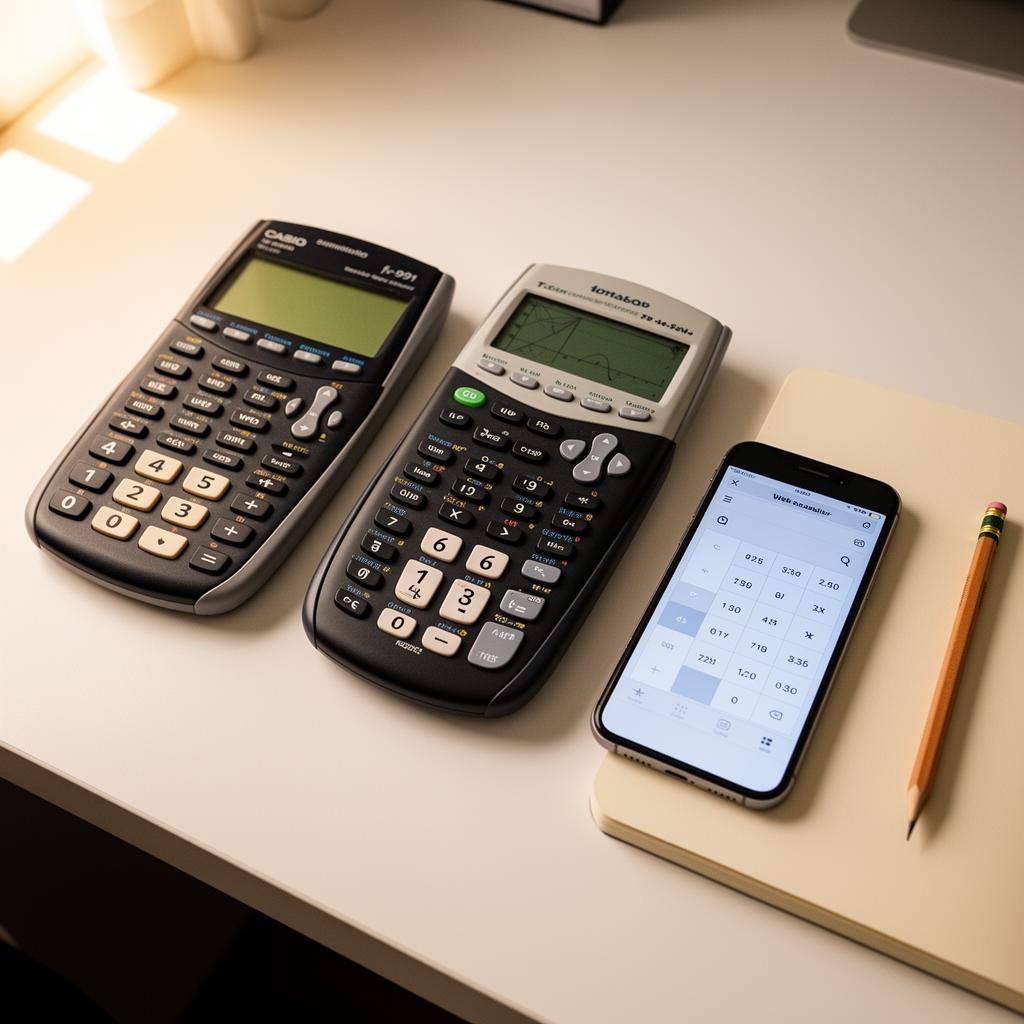
Choosing the best scientific calculator is one of those small decisions that shapes your entire student experience. The right tool speeds up homework, builds confidence during exams, and removes the friction that turns ten-minute problems into thirty-minute ordeals. The wrong one — or no calculator at all — means manual arithmetic, rounding errors, and the sinking feeling of knowing you understood the concept but ran out of time. This guide cuts through the marketing noise and focuses on what actually matters when you are standing in the stationery aisle or staring at a search results page.
What "best" actually means for a student
The best scientific calculator is not the one with the most buttons or the highest price tag. It is the one you can operate quickly, accurately and confidently under pressure. That breaks down into five practical criteria: the functions you need for your classes, the speed you can navigate the interface, the exam rules at your school, the durability of the device, and the total cost including batteries and replacements. A calculator that passes all five tests is genuinely the best scientific calculator for your situation — even if it is not the most expensive model on the shelf.
Most high-school and early university students need the same core set: trigonometry (sin, cos, tan and inverses), logarithms (log and ln), exponents and roots, factorials, scientific notation, parentheses for order of operations, memory keys, and a degree or radian toggle. Anything beyond that — graphing, programming, CAS symbolic algebra — is a bonus that may or may not be allowed in your exam hall. Start with the minimum requirements for your syllabus, then add features only if they solve real problems you have already encountered.
Handheld vs online: the debate that actually matters
The single biggest fork in the road is whether to buy a physical handheld calculator or rely on an online scientific calculator that lives in your browser. Both have genuine advantages, and the best scientific calculator strategy for most students is a hybrid: a permitted handheld for exam venues, and a fast web tool for daily homework and revision.
Handheld calculators win on reliability and exam compliance. They do not need Wi-Fi, they never show ads, and most exam boards publish a list of approved models that proctors recognise on sight. A Casio fx-991EX, TI-30X Pro or Sharp EL-W531 sits quietly on your desk for years, surviving drops, bag crushes and coffee spills. The downsides are the upfront cost, the need for batteries, the small monochrome display, and the learning curve of navigating nested menus with arrow keys.
Online scientific calculators win on speed, display quality and zero cost. The screen is your laptop or phone, which is already larger and sharper than any handheld LCD. You can edit expressions inline, scroll through a history of previous calculations, and switch between devices without buying a second unit. The catch is exam rules: many standardised tests ban phones and laptops, so an online tool is a homework companion, not an exam companion. The Scientificalc scientific calculator bridges this gap perfectly — it is free, loads instantly, and mirrors the button layout of popular handhelds so your muscle memory transfers.
Features that separate good calculators from great ones
Once you know your format, look for these specific features that turn a decent calculator into the best scientific calculator you have ever used. A natural textbook display shows fractions stacked, exponents superscripted, and square roots with a proper bar — instead of the linear sqrt(16) notation that older screens force on you. This matters because it lets you verify your expression at a glance, catching missing parentheses or misplaced minus signs before you press equals.
History recall is the second game-changer. The best calculators store your last twenty or thirty expressions in a scrollable list. When a multi-step problem reuses an intermediate value, you can tap the previous result instead of retyping it. That one feature saves more time over a semester than any shortcut key, and it eliminates the transcription errors that happen when you copy a ten-digit decimal onto scratch paper and then back into the calculator.
Third, look for dual power. Solar cells plus a backup battery mean your calculator never dies mid-exam. Fourth, confirm the degree and radian toggle is a dedicated button or a single menu tap — not buried three layers deep. You will switch between modes hundreds of times, and every extra keystroke adds friction. Fifth, check for keyboard input if you are using a web calculator. Being able to type sin( from your physical keyboard instead of clicking on-screen buttons is a genuine speed boost for long problem sets.
Exam rules: the dealbreaker most students ignore
Before you spend a dollar, find your exam board's approved calculator list. In the United States, the ACT permits any calculator that is not a CAS device with algebra solving; the SAT allows most scientific and graphing calculators; AP exams vary by subject. In the UK, GCSE and A-Level boards publish explicit model lists, and invigilators confiscate anything not on them. In Australia, VCE and HSC have similar restrictions. Buying the best scientific calculator on the market is meaningless if security takes it off your desk on test day.
If your exam permits a graphing calculator, the TI-84 Plus CE and Casio fx-CG50 are the safest picks — teachers recognise them, repair guides exist, and二手 markets are deep. If graphing is banned or unnecessary, the Casio fx-991EX ClassWiz is the undisputed champion of non-graphing scientific calculators: sharp display, fast processor, solar plus battery, and a price that rarely exceeds twenty-five dollars. For students on tighter budgets, the Casio fx-85GTX and Sharp EL-W531 are competent alternatives that sacrifice only a few advanced statistics functions.

Online alternatives that rival handhelds
If your exams allow online tools — or if you want a companion for homework — the landscape is surprisingly strong. Desmos is the most famous name, with a scientific calculator embedded in the Bluebook app for digital SAT and PSAT takers. Its accessibility features, keyboard shortcuts, and exact-form output make it a genuine competitor to physical devices. GeoGebra offers a similar suite with slightly more geometry focus. And for students who want something lighter, faster, and free of account prompts, the Scientificalc scientific calculator delivers the same trig, log and exponent functions in a stripped-down interface that opens in under a second on any browser.
The best scientific calculator workflow we have seen is a two-tool setup: a Casio fx-991EX for exams and classroom use, plus a bookmarked web calculator for homework. You build muscle memory on the handheld, then enjoy the speed and display quality of the web tool when you are not constrained by exam rules. Both calculators use the same underlying math, so your skills transfer seamlessly.
How much should you spend?
For a handheld scientific calculator, the sweet spot is between fifteen and thirty dollars. Below that range, you get flimsy buttons, dim screens and missing functions. Above it, you are paying for graphing, programming or colour screens that most students do not need and many exams do not allow. The Casio fx-991EX sits right in the middle of this range and has been the default recommendation of math teachers worldwide for nearly a decade.
For an online scientific calculator, the best price is zero. Reputable web tools like Desmos, GeoGebra and Scientificalc are completely free, with no subscription tiers, no feature paywalls, and no ads. The only cost is an internet connection, which you already have. If a web calculator asks for payment, close the tab — there is a better option one search away.
Durability and the total cost of ownership
A handheld calculator should last through high school and into early university. That means five years of daily use, hundreds of bag entries and exits, and at least one drop onto a hard floor. The best scientific calculator brands — Casio, Texas Instruments, Sharp — build cases that survive this abuse. Cheaper knock-offs often have buttons that stick, screens that develop dead pixels, and battery compartments that crack. Spending an extra ten dollars on a recognised brand pays for itself the first time you do not have to buy a replacement in exam season.
Online calculators, by contrast, never wear out. They update automatically, scale to any screen size, and migrate with you from laptop to phone to tablet. The only risk is link rot — bookmarking a tool that disappears. Stick to established names with long histories, or save the page locally if you are worried about connectivity. The Scientificalc scientific calculator is designed to load even on slow networks, with no external dependencies that could break.
Building a calculator habit that sticks
Owning the best scientific calculator is worthless if you only touch it the night before a test. The students who score highest are the ones who integrate their calculator into daily study from week one. Spend five minutes each day on deliberate practice: type five trig expressions, switch angle modes deliberately, compute a log and an exponent, and chain two calculations with the Ans key. Time yourself. After two weeks, the interface feels like an extension of your hands instead of a puzzle you have to solve.
Keep a one-page cheat sheet of your most-used key sequences. Update it every month as you discover new shortcuts. Share it with study partners — teaching someone else your workflow cements it in your own memory faster than any repetition drill. The goal is not to memorise every function in the manual; it is to know exactly where your five most common operations live so you never hesitate under exam pressure.
Common mistakes when choosing a calculator
The first mistake is buying based on brand loyalty alone. Casio, TI and Sharp all make excellent and mediocre models. Check the specific model number against your syllabus and exam list, not the logo on the box. The second mistake is overbuying. A graphing calculator is overkill for a student who only needs trig and logs, and it may be banned anyway. The third mistake is underbuying. A four-function calculator with a scientific label is not a scientific calculator — it cannot do logs, trig or exponents, and it will fail you the moment you hit algebra two.
The fourth mistake is ignoring the online option. Even if you need a handheld for exams, a free web calculator is the perfect homework companion. It lives on every device, requires no bag space, and often has a better display than anything that fits in your pocket. The fifth mistake is waiting until the last minute. Buy or bookmark your calculator at the start of term, practice with it for a week, and walk into your first assessment with muscle memory already built.
Final recommendation
If you want one clear answer, here it is. For a handheld, buy the Casio fx-991EX ClassWiz. It is affordable, durable, exam-approved by every major board, and powerful enough for high-school math, physics and chemistry. For an online companion, bookmark the Scientificalc scientific calculator — it is free, fast, and mimics the layout of the Casio so your fingers never get confused. Together they form the best scientific calculator setup for the vast majority of students in 2026.
Whichever path you choose, start practicing today. The best scientific calculator in the world cannot save you if you are still reading the button labels when the invigilator says "You may begin." Build speed, build accuracy, and build confidence — one keystroke at a time.
Try it yourself
Open the Scientificalc scientific calculator and work through the examples above — no install, no sign-up.